UX Audit of an Enterprise Customer Engagement Platform
A full UX audit of an omnichannel marketing automation platform for banking CRM teams, turning powerful but hard-to-use campaign tools into a clear redesign direction.
- 1 Week
- 1 UX Designer


- Duration
- 1 Week
- Industry
- MarTech, B2B SaaS
- Team
- 1 UX Designer
- Scope
- 3 personas, 3 journey maps, 3 competitors
About Project
General information
The client is an enterprise customer engagement platform used by CRM and retention teams at banks and financial services companies. Teams use it to build segments, launch email, SMS, push and in-app campaigns, design automated customer journeys and track results. The product already had a broad, working feature set. But setting up a campaign took too many steps, key logic was not explained, and the dashboard showed data without telling users what to do next.
The client asked Creava to find where the experience slows teams down and to define a clear direction for the next version of the platform.
Deliverables
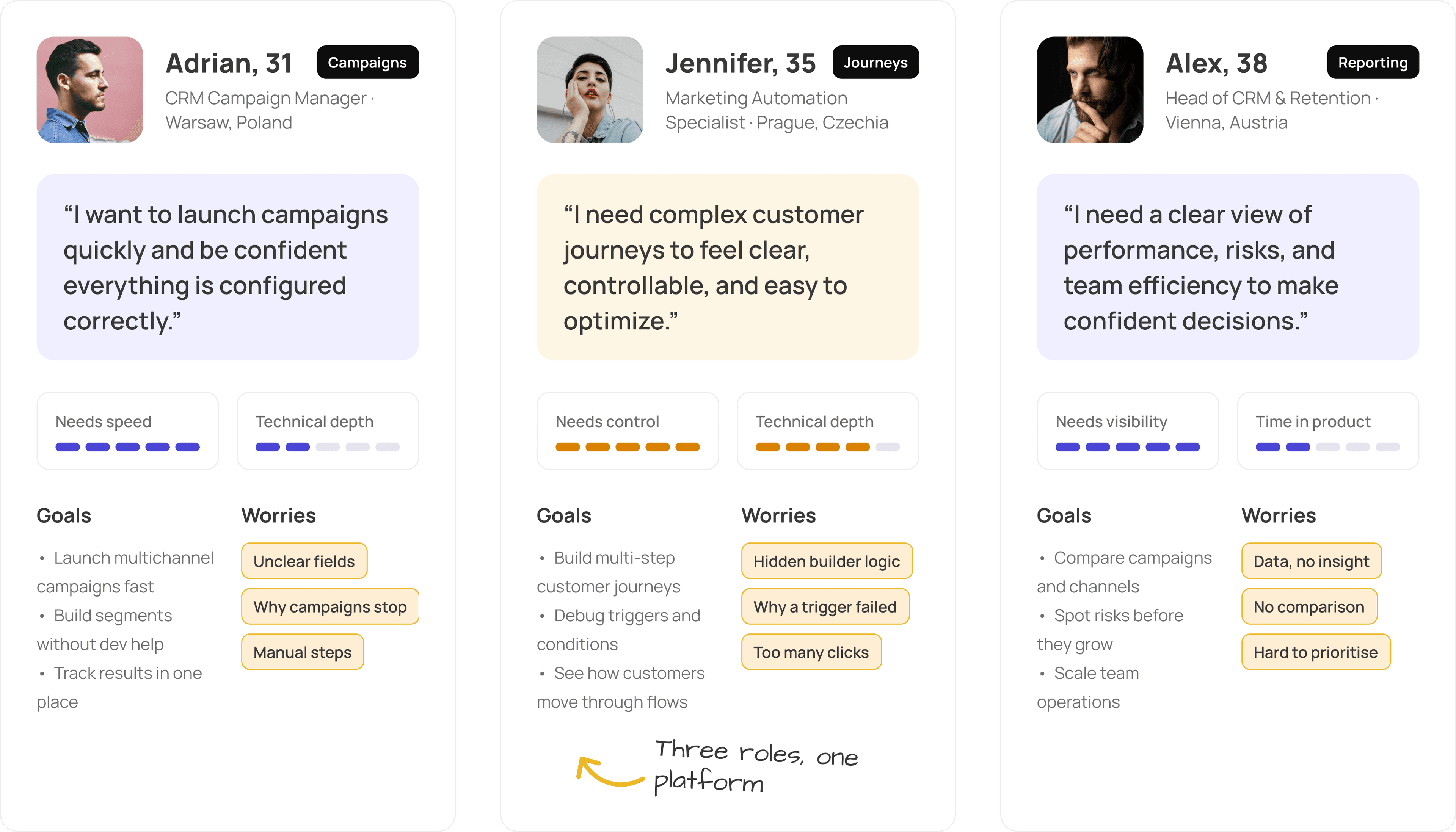
3 user personas: a campaign manager, a marketing automation specialist and a head of CRM
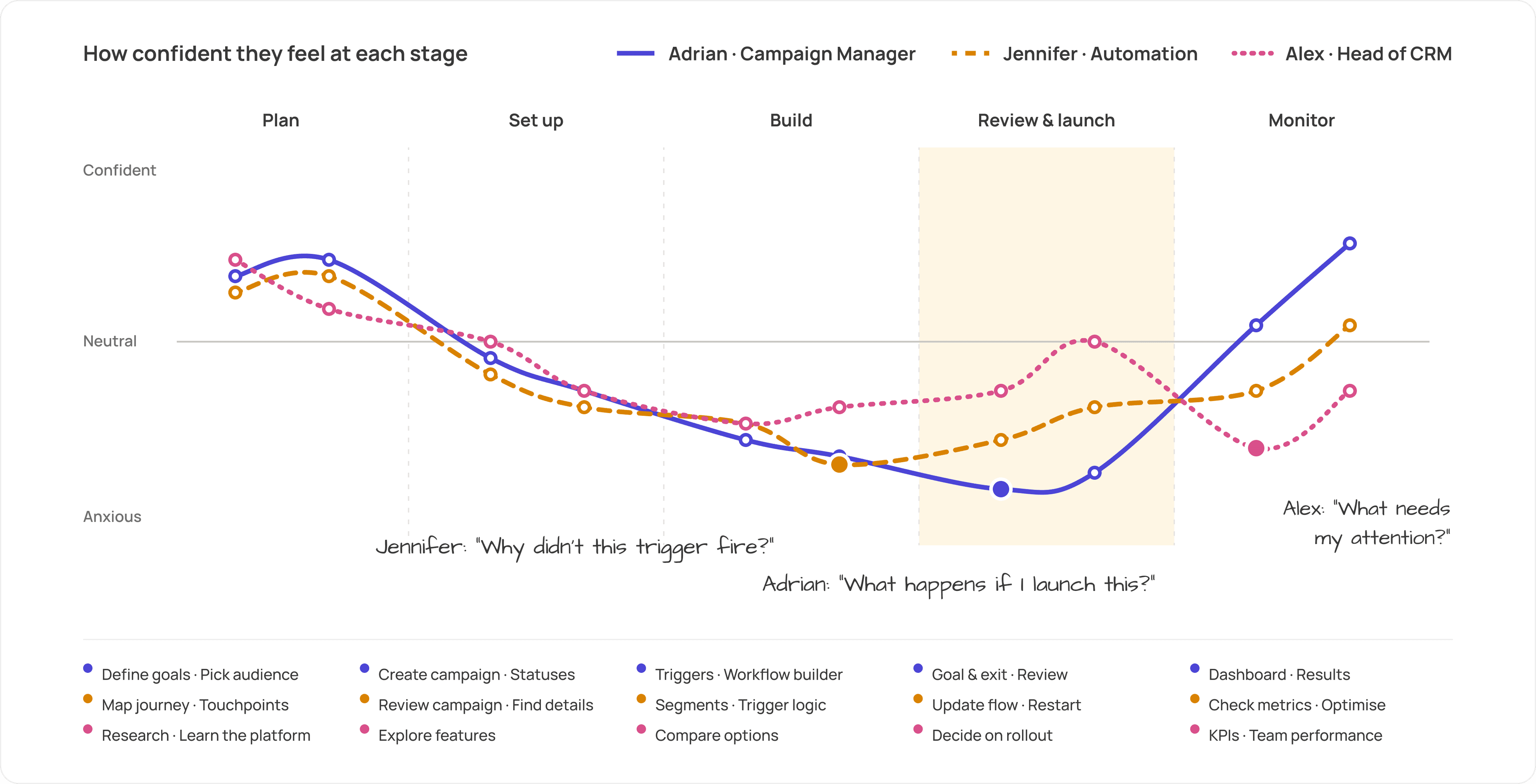
3 User Journey Maps covering 15 stages, from planning a campaign to monitoring results
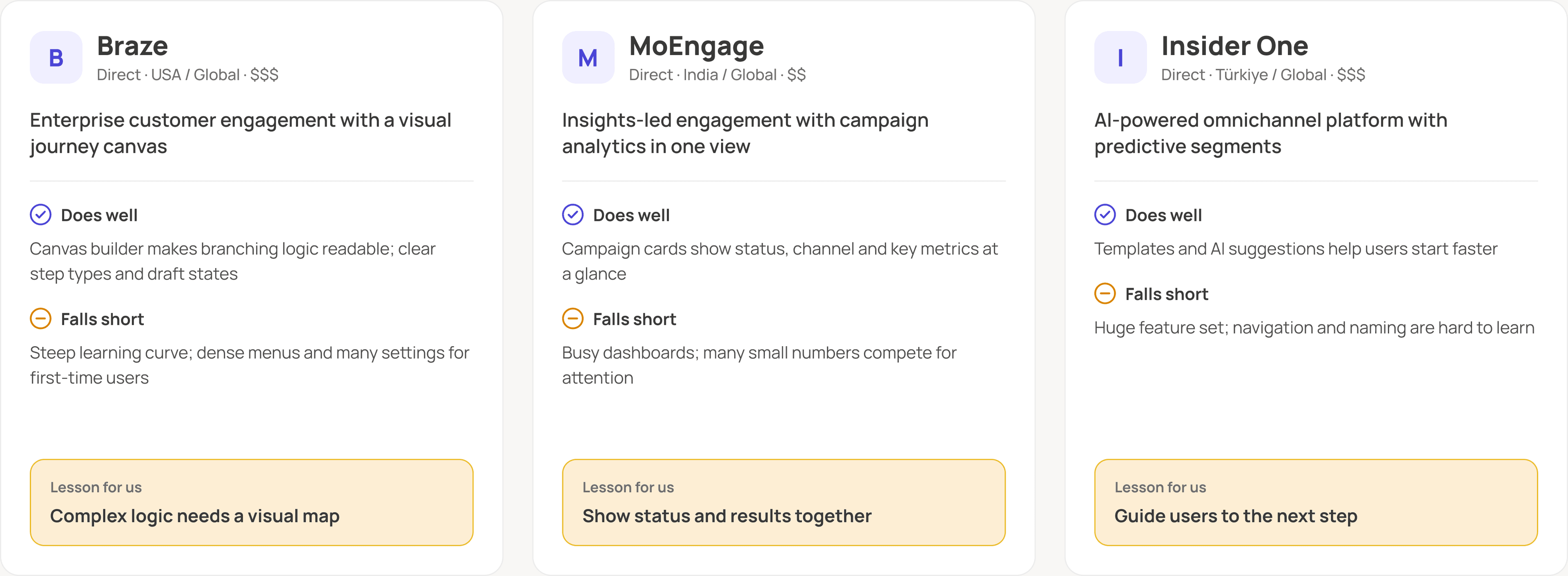
Competitive audit of 3 leading customer engagement platforms
Screen-by-screen UX/UI audit: what works, what creates friction, how to fix it
A proposed user flow for launching a first campaign
Final conclusion with visual direction and 5 redesign priorities
Problems & solutions
- UX
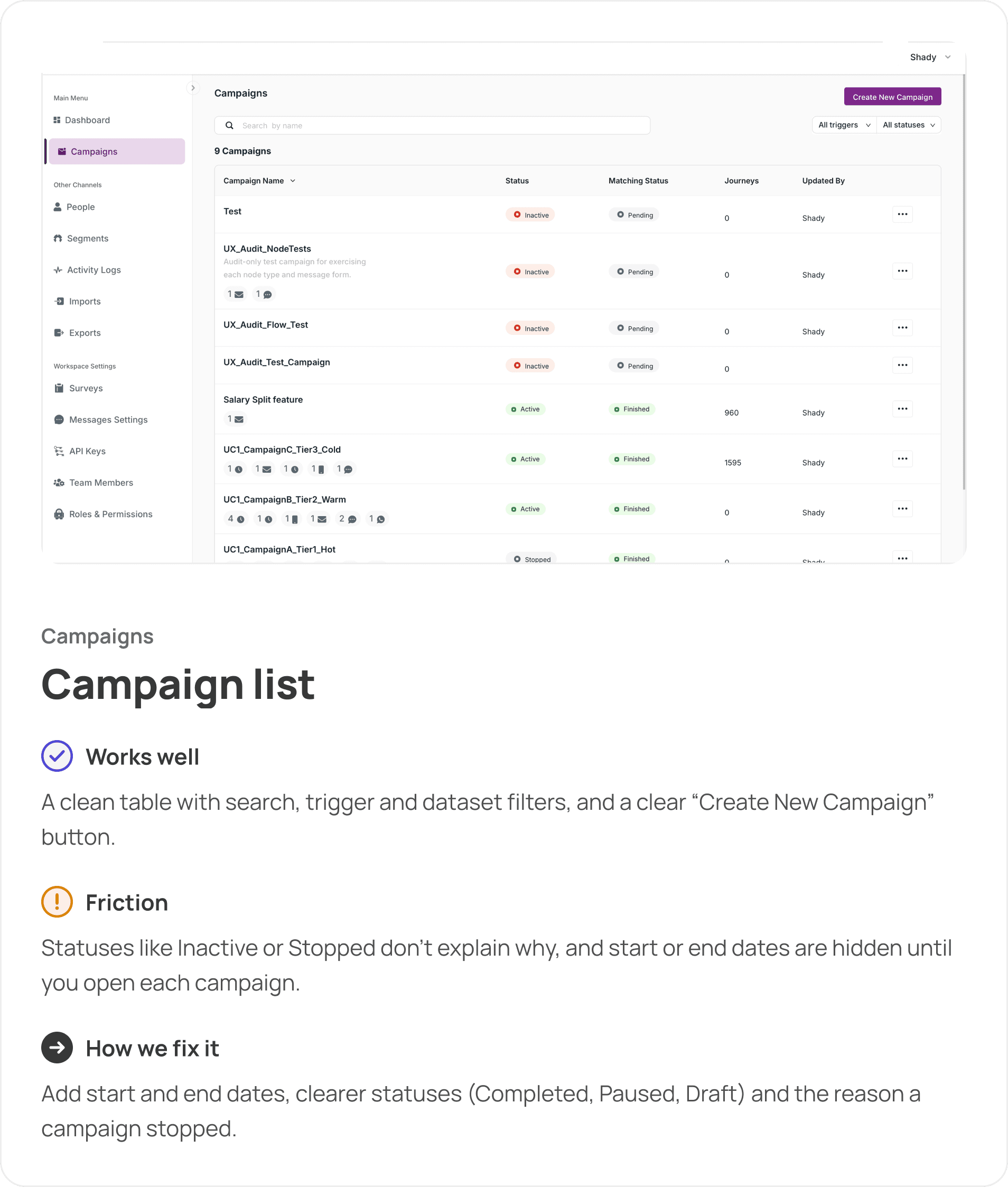
1. Campaign statuses that explain nothing
The campaign list showed statuses like Inactive or Stopped without a reason, and start or end dates were hidden until users opened each campaign. Finding basic details took extra time and clicks.
Solution:
Add start and end dates to the list, make statuses clearer (Completed, Paused, Draft) and show why a campaign stopped, so users see at a glance which campaigns need attention.
- UX
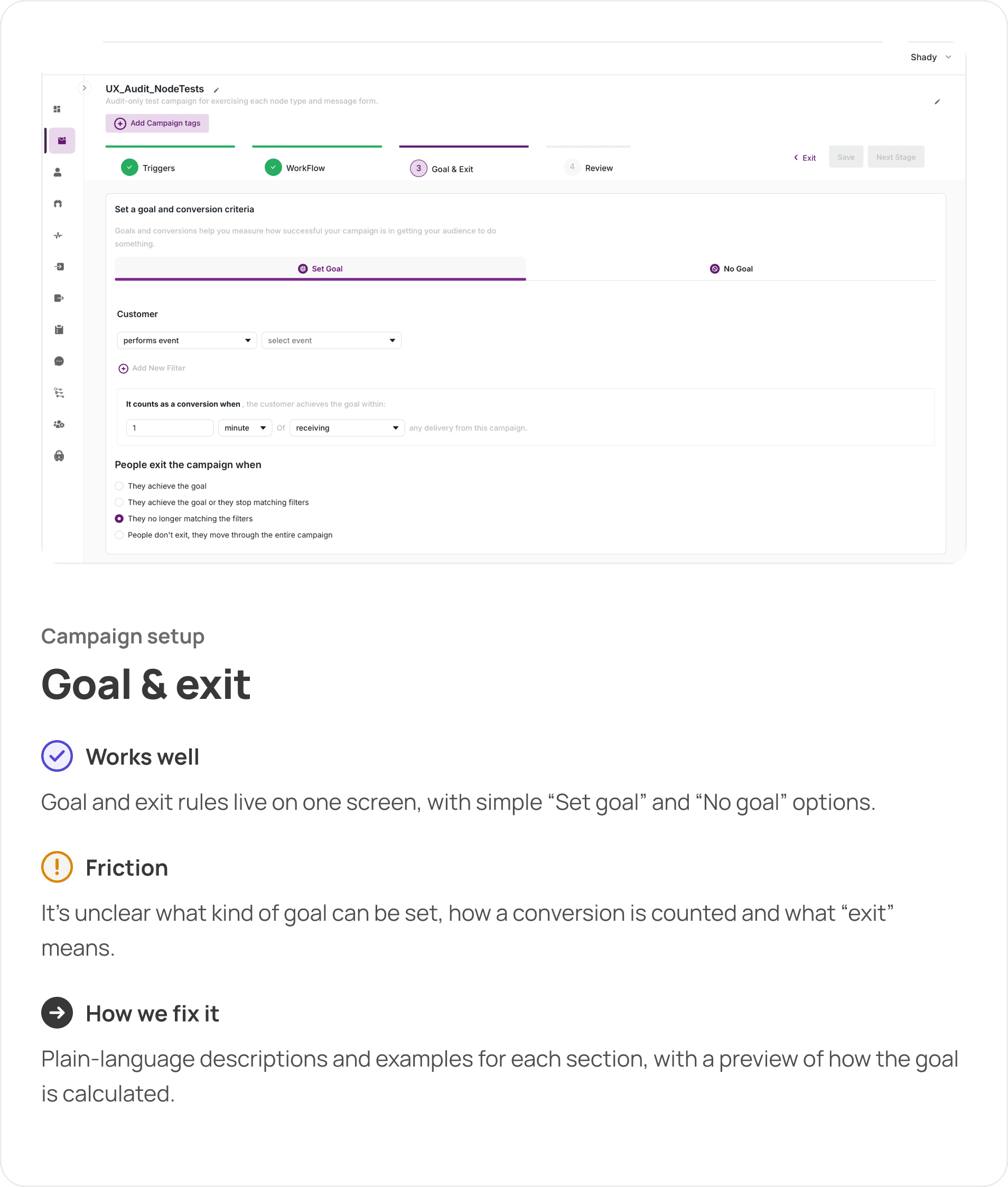
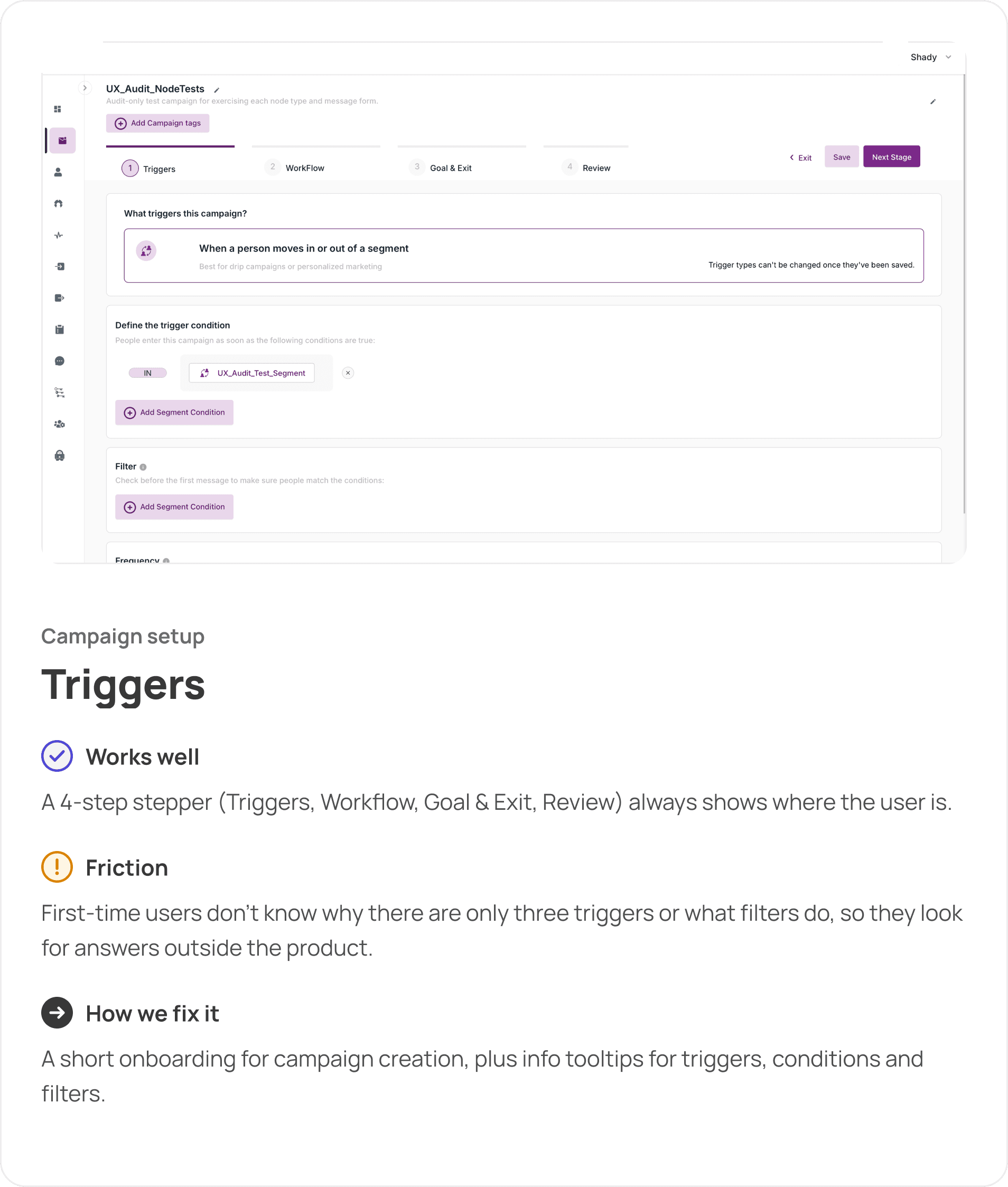
2. No guidance for first-time users
On the first campaign, users didn’t know why there were only three triggers, what filters do or how goals and exits work. They had to look for answers outside the product.
Solution:
A short onboarding for campaign creation, plus info tooltips and plain-language descriptions for triggers, conditions, filters, goals and exits.
- UX
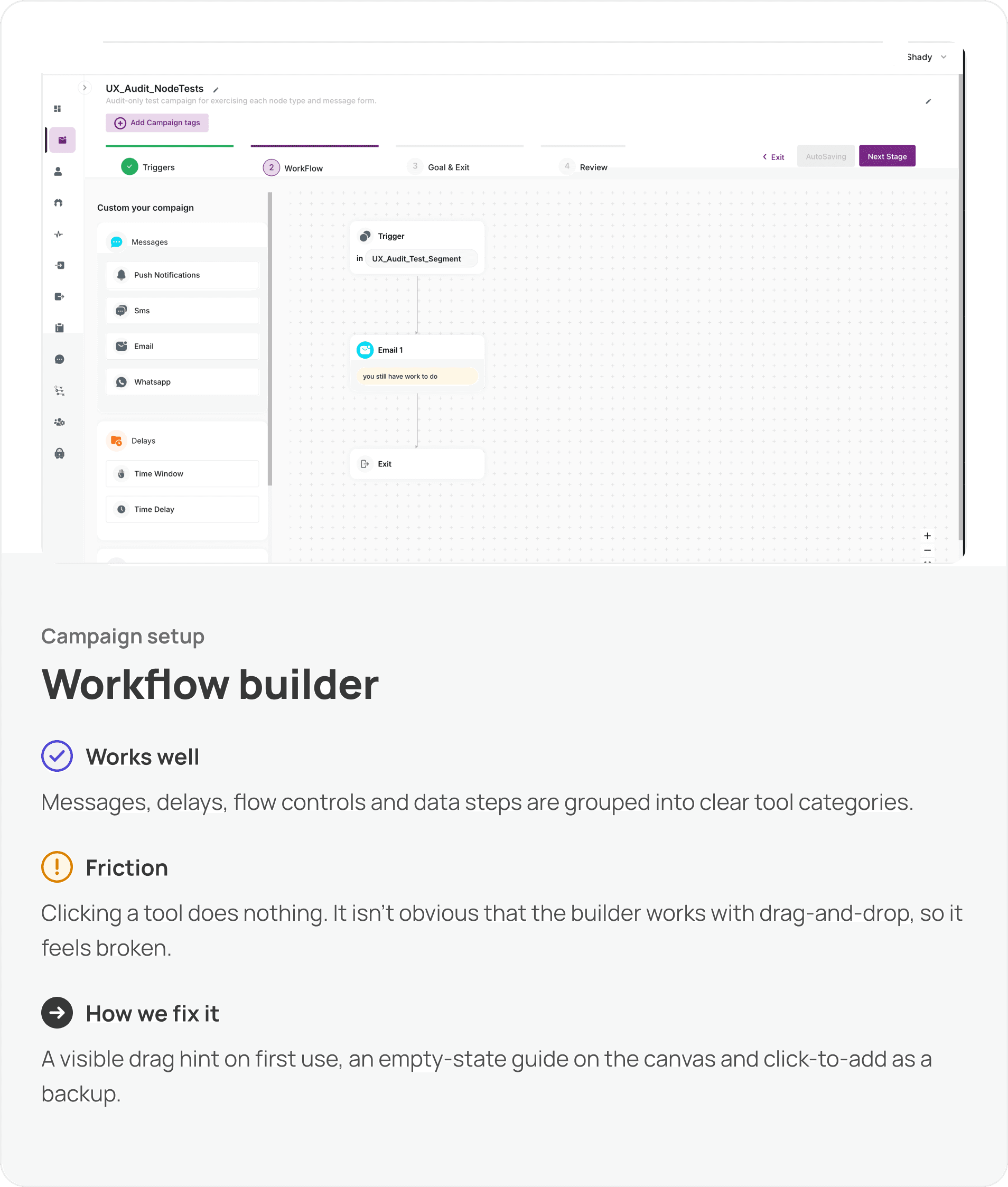
3. A workflow builder that feels broken
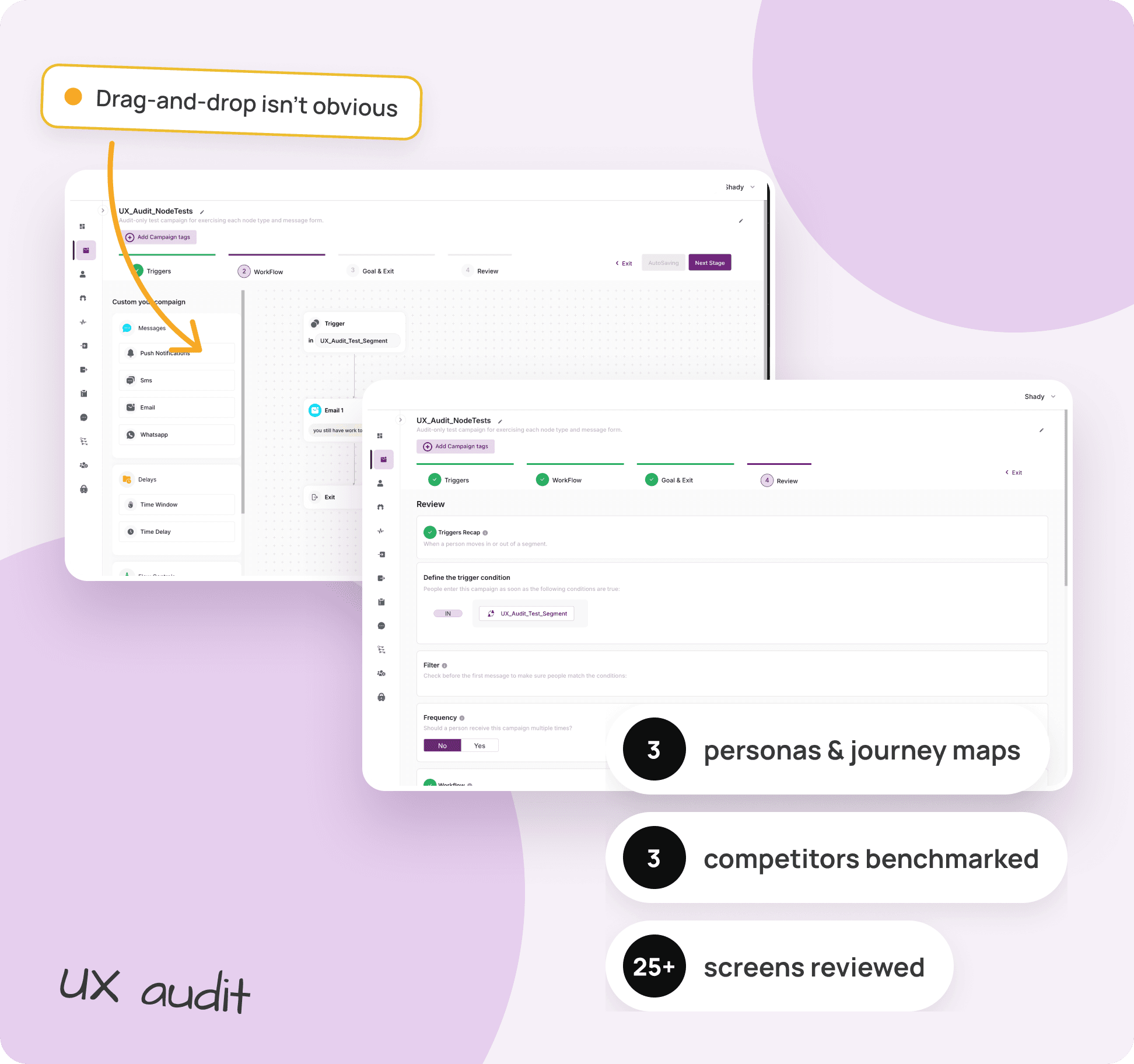
Users clicked a tool in the builder and nothing happened. It wasn’t obvious that the canvas works with drag-and-drop.
Solution:
A visible drag hint on first use, an empty-state guide on the canvas and click-to-add as a backup, so the builder explains itself.
- UX
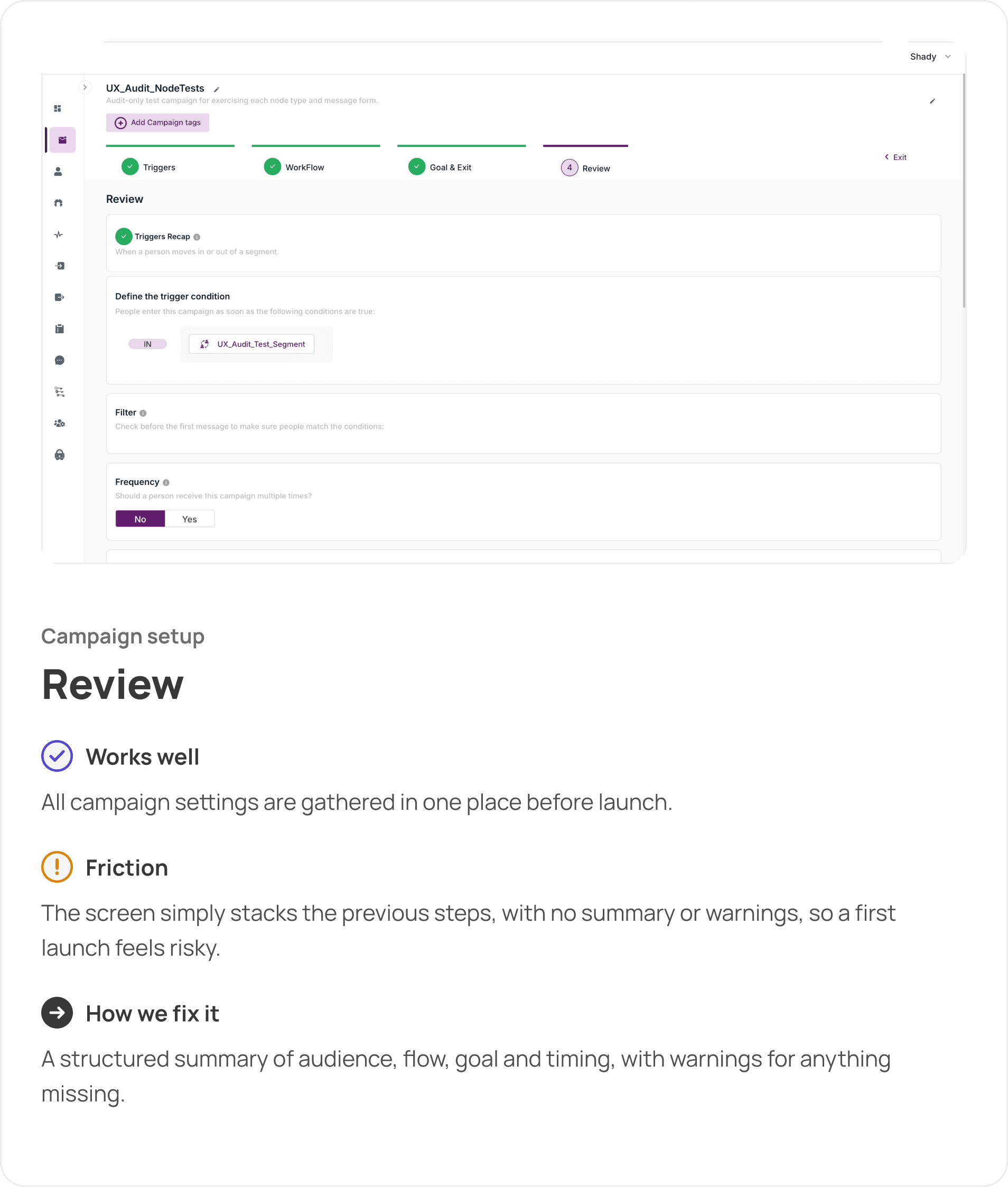
4. A review step without a summary
The review screen simply stacked all previous steps, with no summary or warnings. For a first campaign, the launch felt risky.
Solution:
A structured summary of audience, flow, goal and timing, with warnings for anything missing before the user can launch.
- UX
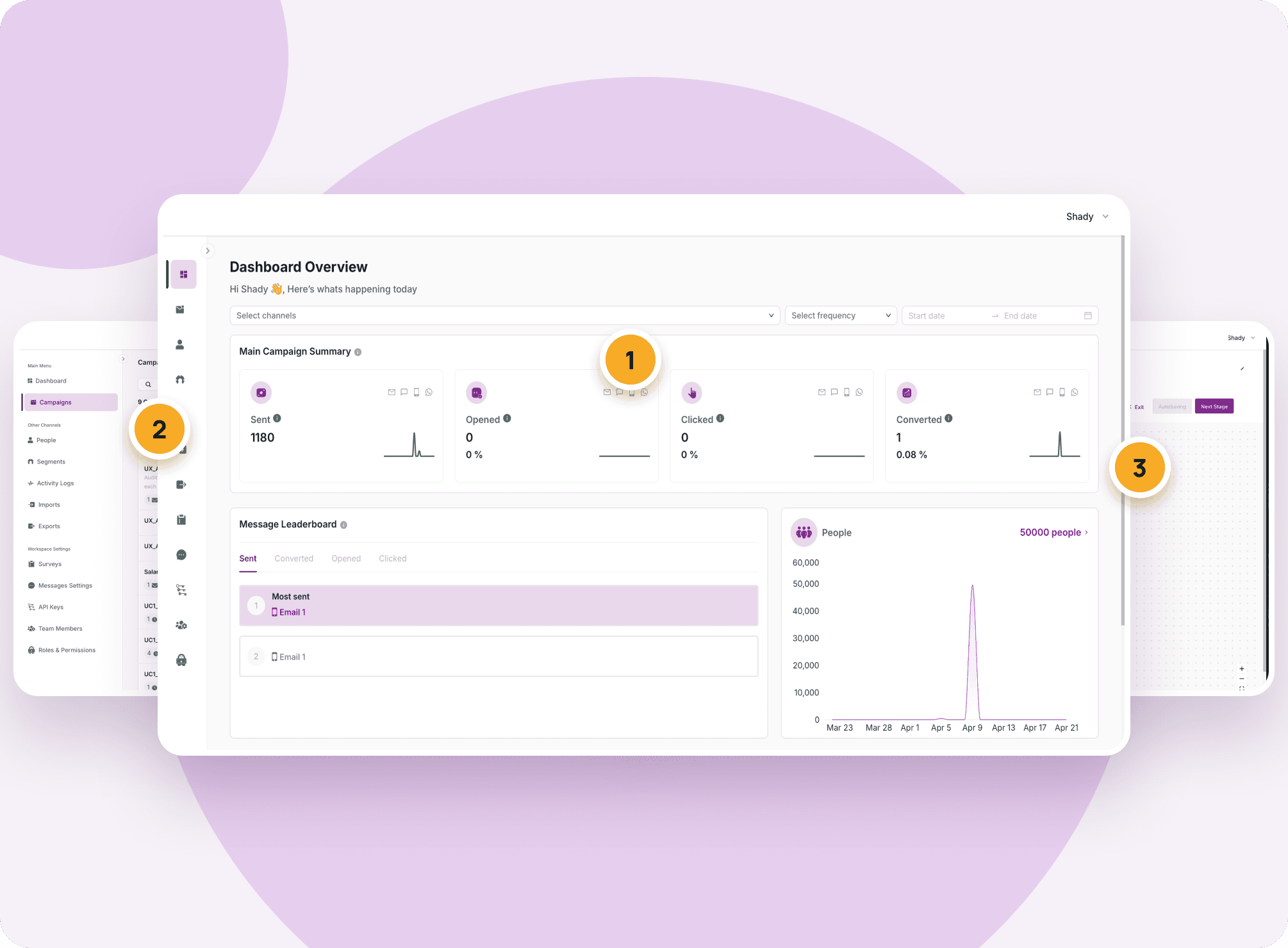
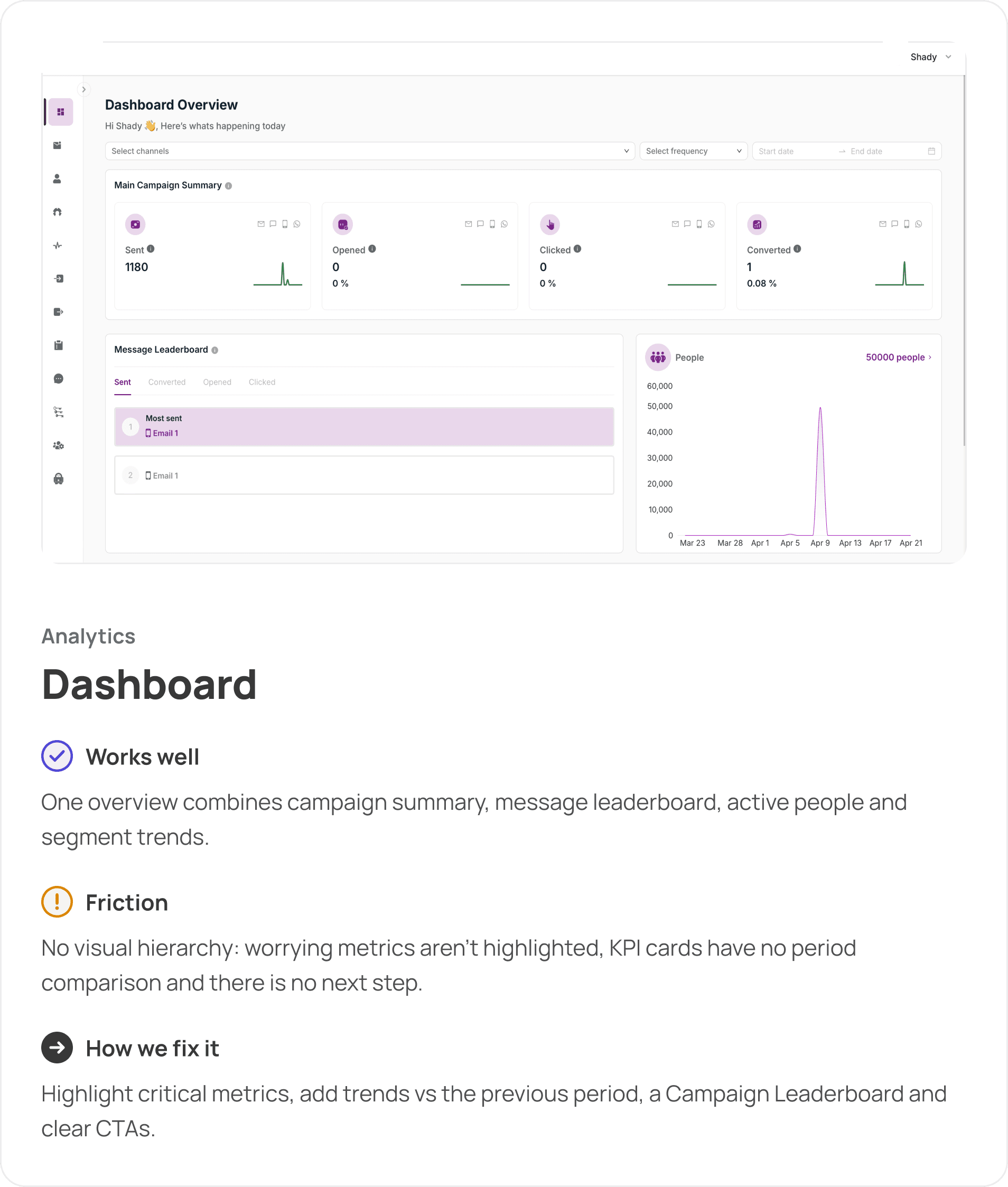
5. A dashboard that shows data, not decisions
The dashboard had no visual hierarchy. Worrying metrics weren’t highlighted, KPI cards had no comparison with the previous period, the Message Leaderboard was misleading on “All campaigns”, and the People block didn’t say who those people are.
Solution:
Highlight critical metrics, add trends vs the previous period, show a Campaign Leaderboard for all campaigns and a message table inside one campaign, rename People to Active Users, and add CTAs that lead to the next action.
- UI
6. Unbalanced forms and inconsistent UI
Some setup screens had overly long inputs and uneven layouts that didn’t match the rest of the platform.
Solution:
Balanced forms with inputs grouped by meaning, consistent spacing and interaction states, and a status colour system used the same way on every screen.
Personas
The platform serves three roles inside one CRM team, so we mapped each one separately.

User Journey Maps
Adrian needs speed, Jennifer needs control and Alex needs visibility. All three need the same thing from the UI: clear statuses, guided setup and metrics that point to the next action.
Competitive Audit
We compared 3 leading customer engagement platforms across campaign setup, journey building, dashboards, analytics and onboarding.
Audit Process

Discovery
Reviewed the platform’s modules (Dashboard, Campaigns, People, Segments, Surveys, Settings) and the business goal behind the audit.

Personas
Built three personas from the main roles in an enterprise CRM team: campaign manager, automation specialist and head of CRM.

User Journey Maps
Mapped goals, actions, emotions, pain points and opportunities across 15 stages.

Competitive audit
Benchmarked Braze, MoEngage and Insider One on UX, visual design and onboarding.

Screen-by-screen audit
Reviewed key screens in a “Works well / Friction / How we fix it” format.

Proposed flow & handover
Designed a guided flow for launching a first campaign and summed up visual direction and 5 redesign priorities as the brief for the redesign.
Recommended Visual Direction
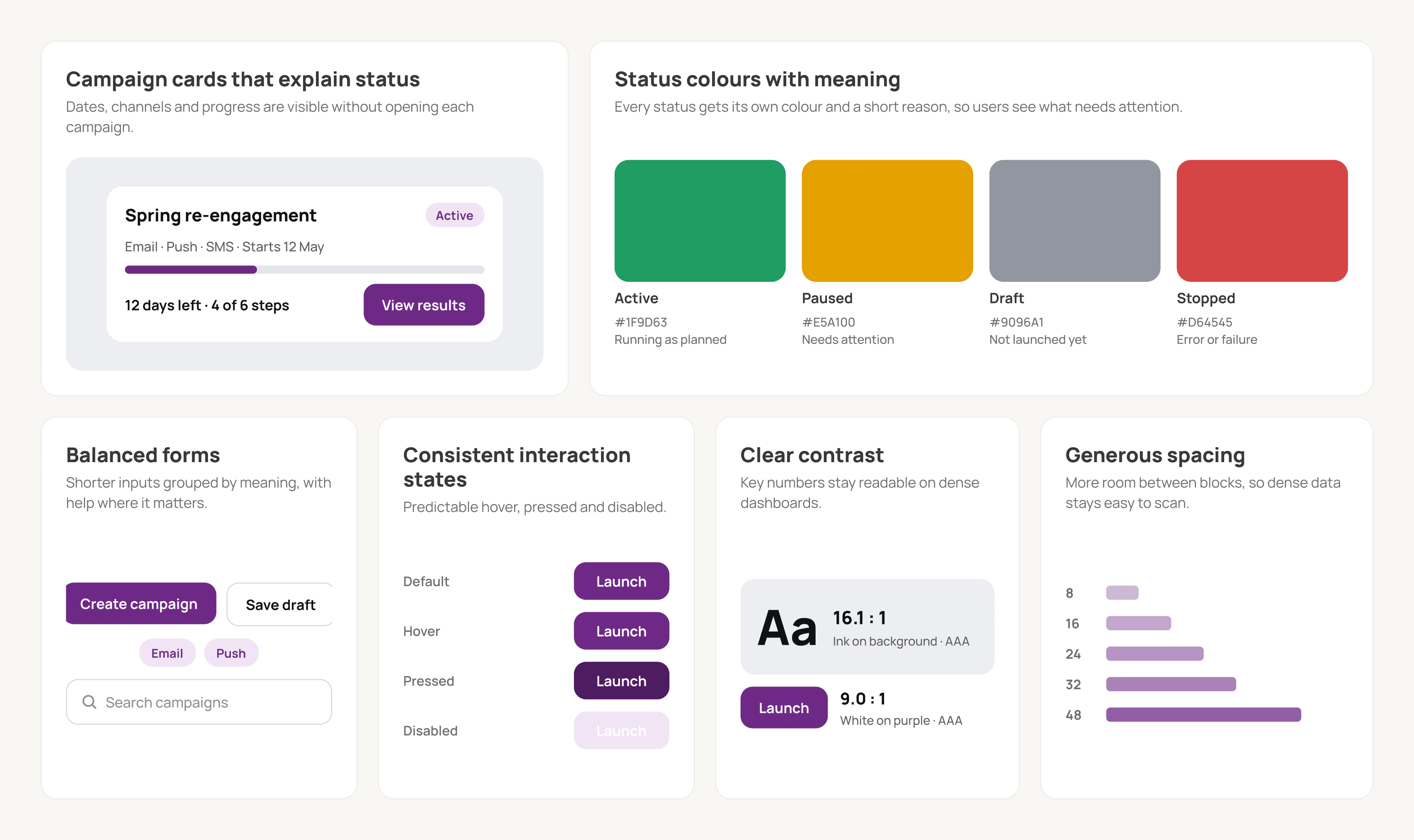
We recommended evolving the existing purple brand rather than replacing it. The interface needed a consistent system that makes dense campaign data calm and easy to read.
Campaign cards that explain status: dates, channels and progress visible without opening each campaign.
Status colours with meaning: Active, Paused, Draft and Stopped each get their own colour and a short reason.
Balanced forms: shorter inputs grouped by meaning, with help text where it matters.
Consistent interaction states: predictable hover, pressed and disabled.
Clear contrast: key numbers stay readable on dense dashboards.
Generous spacing: more room between blocks, so data stays easy to scan.
Screen-by-Screen Audit
Each screen got the same three-part review.
Audit Outcomes
The audit gave the client a clear brief for the redesign: keep the enterprise power of the platform, and make campaigns easier to set up, read and act on for every role in the CRM team.

3
Personas & journey maps

3
Competitors benchmarked

25+
Screens reviewed

5
Redesign priorities