SEO Traffic & CTR Optimization Platform
ClickSEO is a SaaS platform that helps businesses climb Google rankings by generating organic search clicks to their websites and Google Business Profile listings.
- 1 Week
- 1 Specialist


- Duration
- 1 Week
- Team
- Product Designer
- Industry
- SEO \ MarTech \ SaaS
- Scope
- Product Design
About Project
General Information
The client came to us with a working traffic-generation service but no product around it. Our task was to design a self-service SaaS platform from scratch, where SEO specialists and business owners can launch click campaigns for their website or Google Maps listing, control traffic behavior, and track ranking results on their own.
Deliverables
Design a complete SaaS platform from scratch
Create two guided flows for SERP and Google Maps projects
Simplify complex traffic and behavior settings
Make the token-based pricing clear and transparent
Build a reusable UI kit for fast development
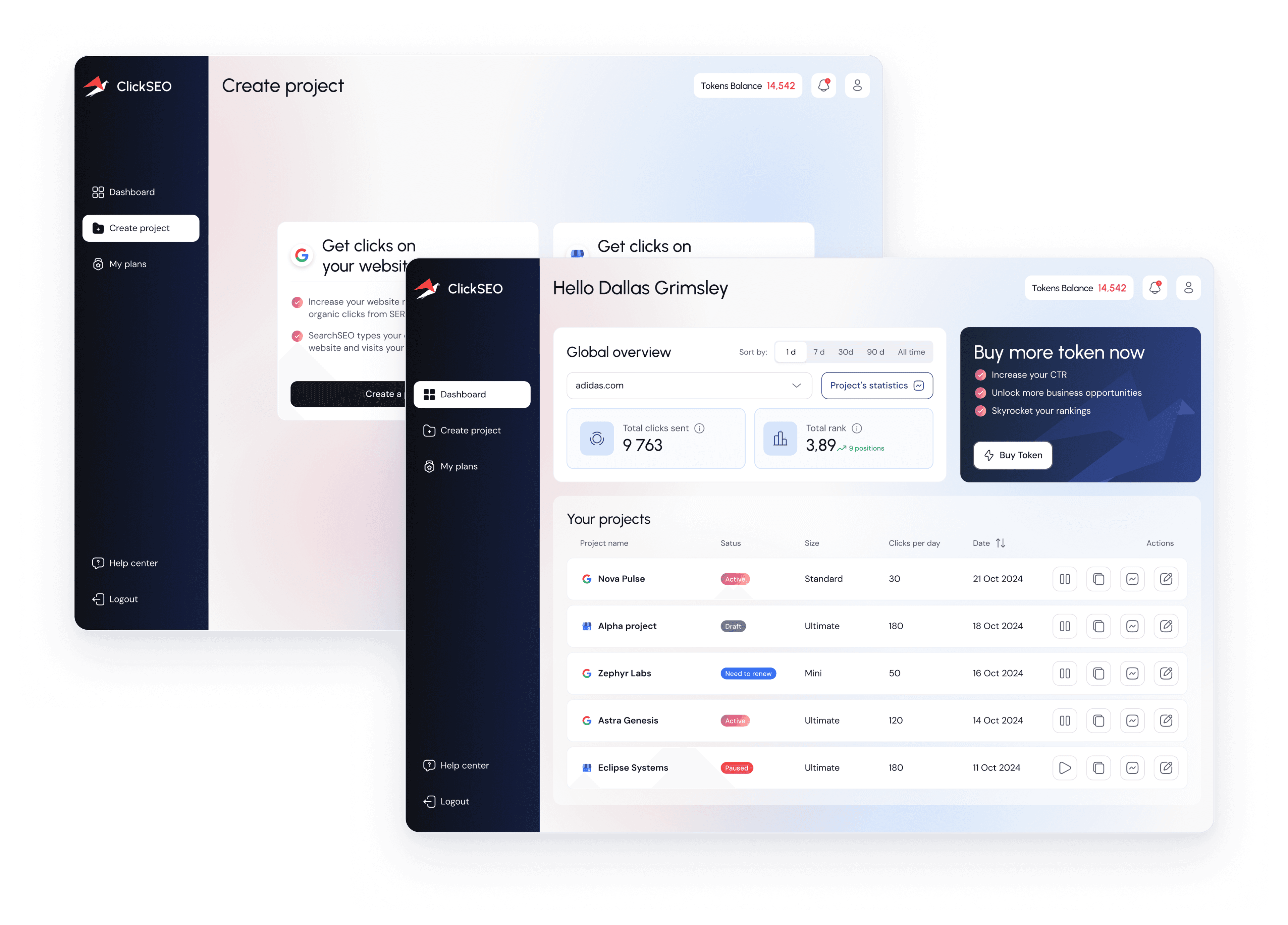
Problems & solutions
ClickSEO project revealed six key challenges that shaped our UX/UI approach and the solutions we designed.
- UX
1. A powerful service with no product interface
The client had a working traffic-generation engine, but no interface for customers. Every campaign had to be set up manually, which made the service hard to scale and sell.
Solution:
We designed a self-service platform where users sign up, create, launch and manage campaigns on their own, from the first project to detailed statistics.
- UX
2. Two products inside one platform
ClickSEO works with two traffic sources: Google Search results (SERP) and Google Maps listings (GMB). Each has its own settings, rules and limits, which could easily confuse users.
Solution:
Users choose SERP or GMB right at the start of project creation. Both flows share the same step-by-step structure, so the logic stays familiar while settings adapt to each project type.
- UX
3. Too many settings for one screen
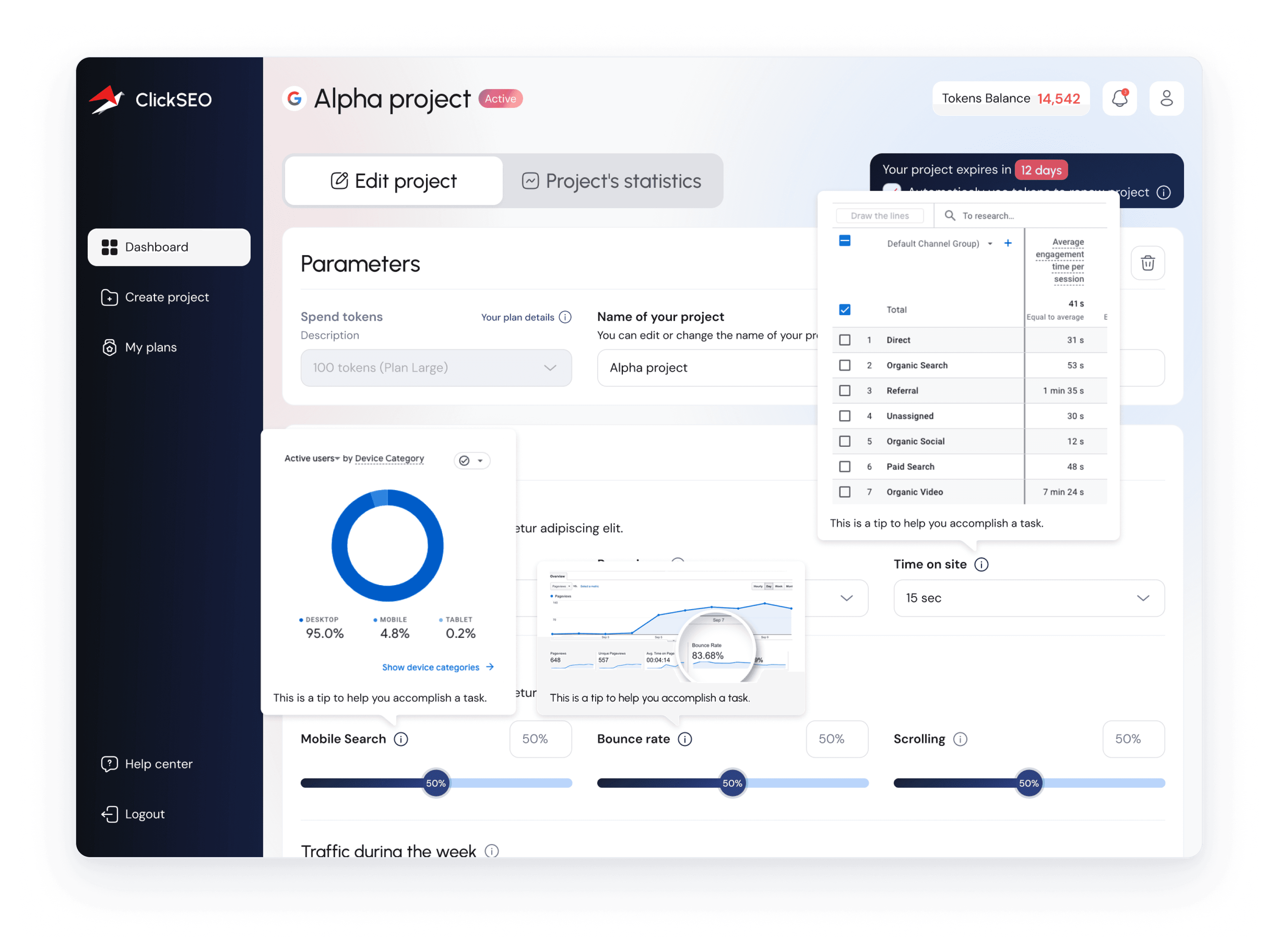
A campaign needs a URL, country, page views, time on site, bounce rate, scrolling, mobile share, weekly traffic and keywords. Shown all at once, this would overwhelm new users.
Solution:
Project creation became a 4-step flow with progress, tips, tutorial videos and a "Save for later" option, so users can build a campaign gradually and return to drafts anytime.
- UX
4. Token pricing that is hard to understand
Users buy tokens and spend them on projects of different sizes. Without clear feedback, it was unclear how much a project costs, what is left and when it expires.
Solution:
The token balance is always visible in the header, each project shows its plan cost and expiry, and limits like "Keywords left" and "Clicks per day left" update in real time.
- UX
5. Results that are hard to prove
Users pay for clicks, but what they really care about is ranking. If the link between traffic and position isn't visible, they lose trust and stop renewing.
Solution:
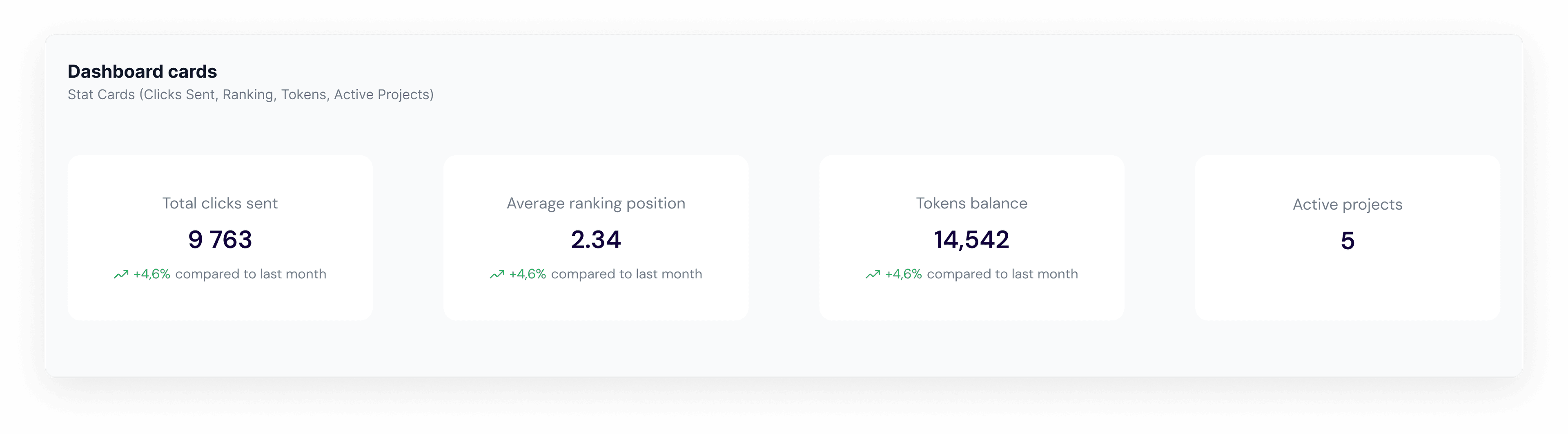
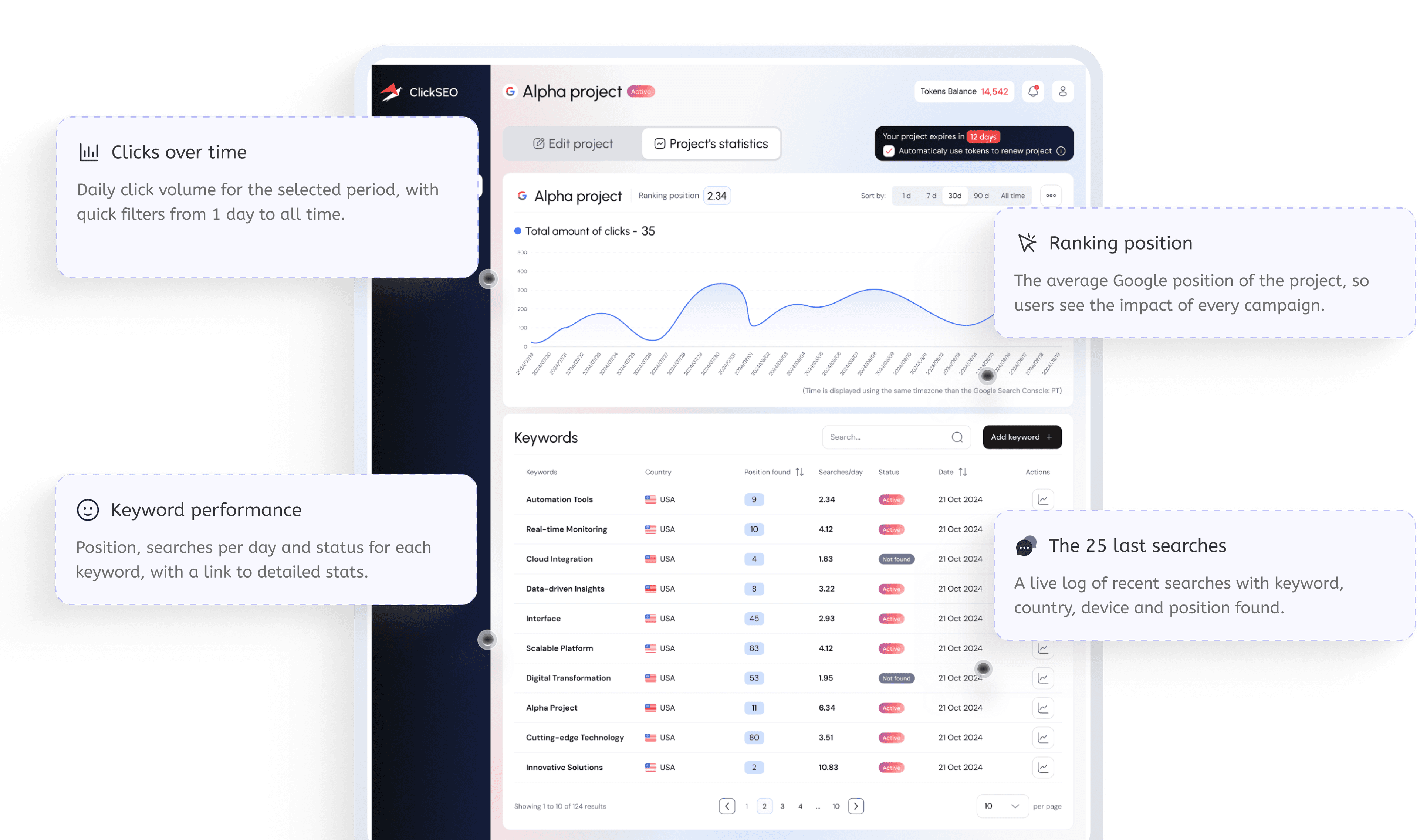
Project statistics show total clicks, average ranking position, keyword-level performance and the latest searches, so users see exactly what was sent and how their positions change.
- UX
6. An empty first experience
New users landed on an empty dashboard and didn't know where to start, which hurt free trial activation and the first purchase.
Solution:
We designed an empty state with a clear CTA, a short 3-day free trial guide and a tutorial video, leading users straight to their first project.
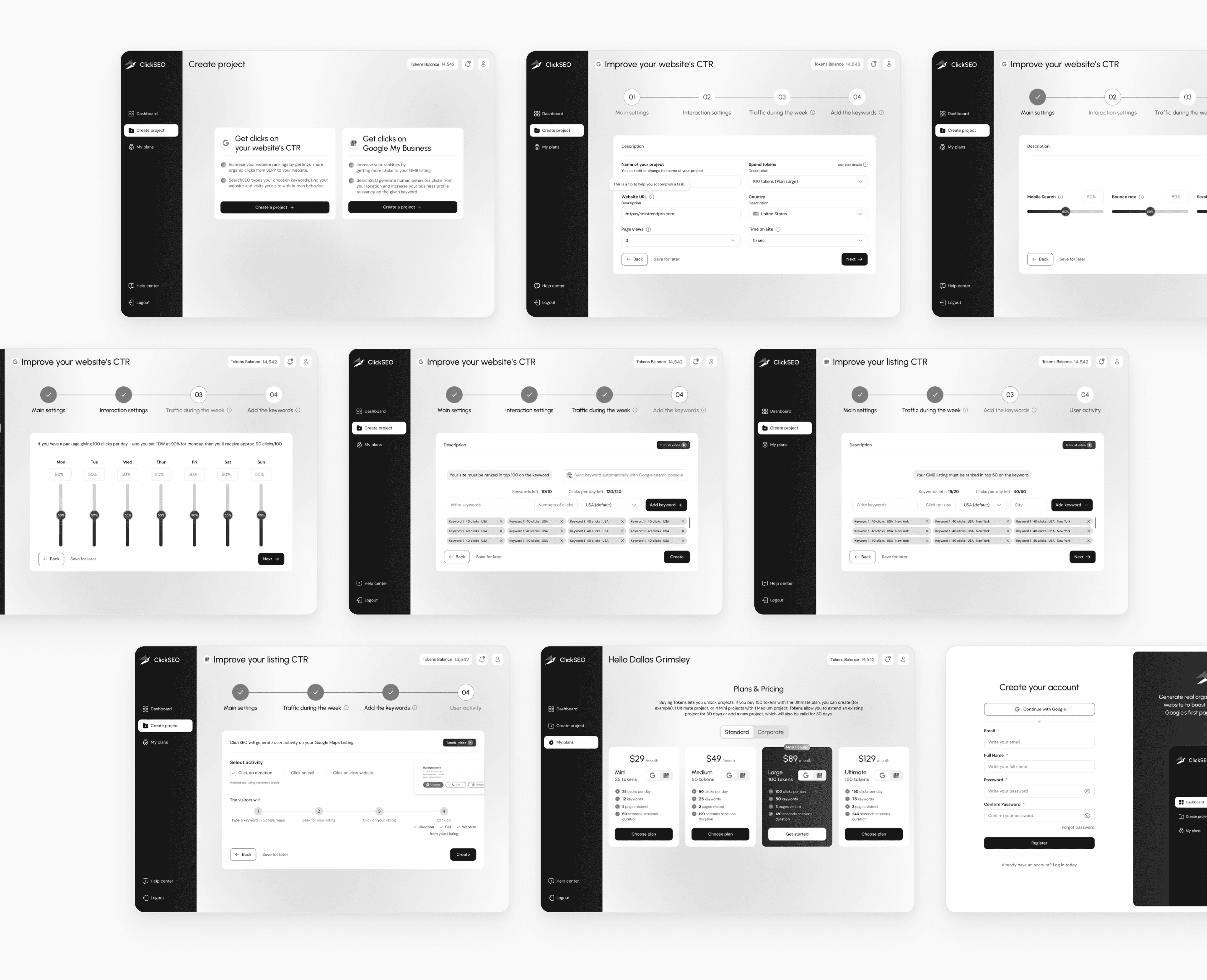
Wireframes
We created wireframes for the core platform flows, defining the structure of project creation, keyword setup, traffic settings and pricing before moving into visual design.
Design process
Before moving into visual design, we explored how SEO and CTR tools structure campaign setup, analytics and pricing, to see what users expect and where they struggle.

UX audit & competitor research
Analysed CTR and SEO traffic tools to identify market standards, common setup patterns and gaps in the user experience.

User journey & flows
Mapped the journey from sign-up and free trial to the first launched campaign, renewal and token purchase.

Information architecture
Structured the product around core modules: Dashboard, Create project (SERP & GMB), Statistics, Plans and Settings.

High-fidelity wireframing
Defined the layout and logic of every screen, including the multi-step project setup, keyword limits and modals.

UI design & component system
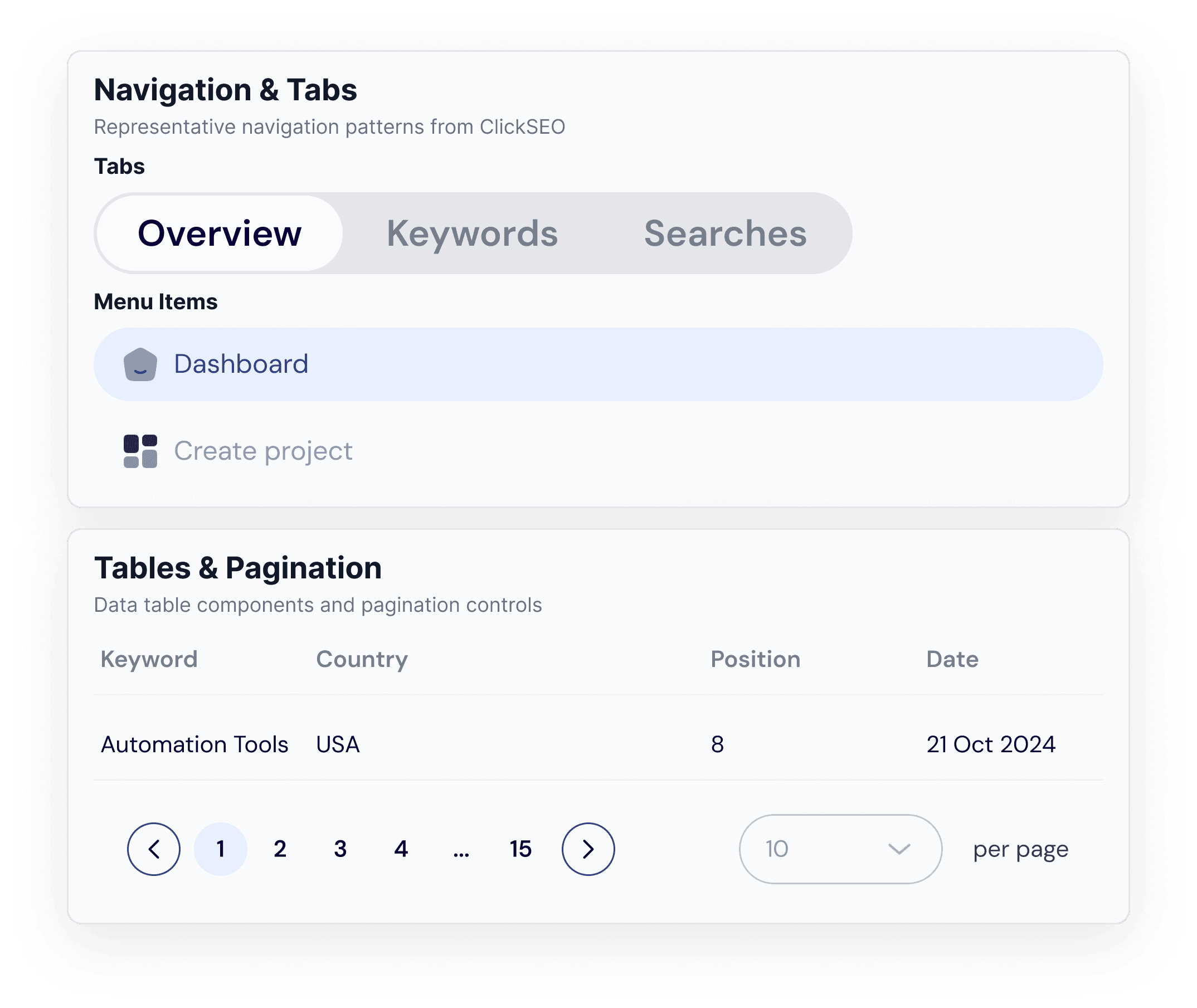
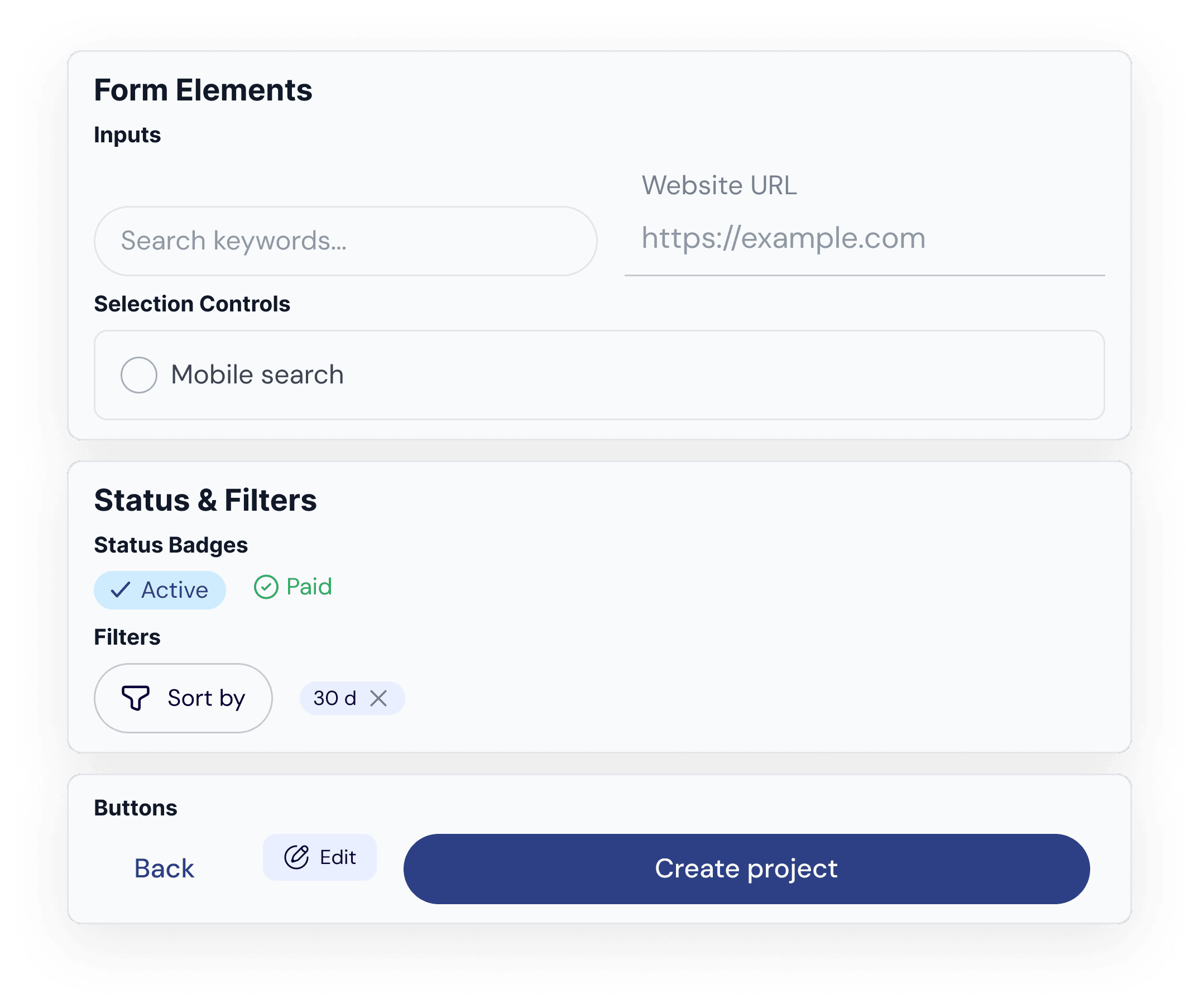
Built a cohesive interface and UI kit with reusable components for forms, tables, charts, statuses and navigation.

Development handover
Delivered 34 screens with states, specs and documentation, ready for fast front-end development.
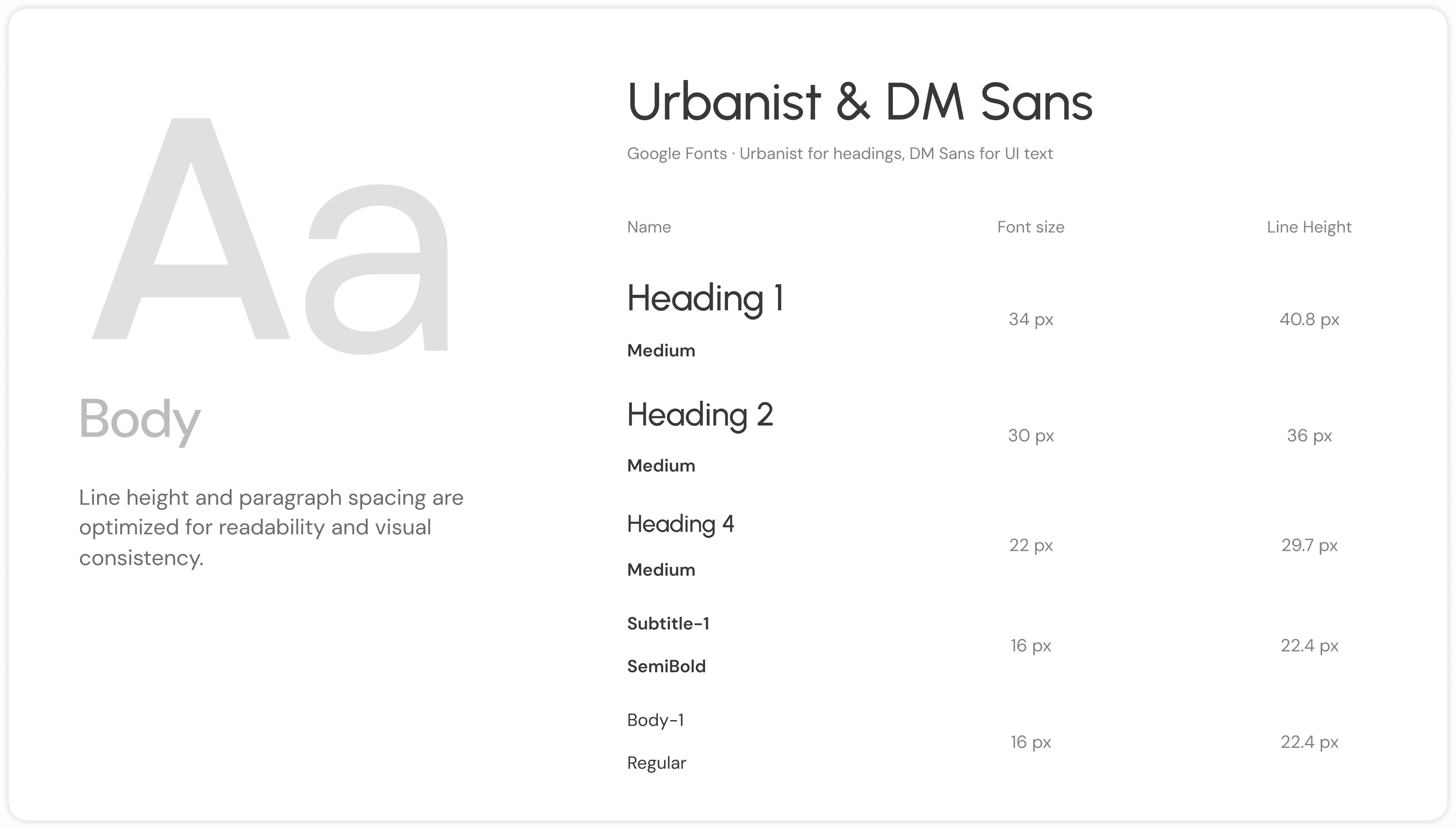
Project colours & typography
The visual system pairs deep navy and bright blue with a red brand accent, keeping dense SEO data calm, readable and easy to scan.
- 2D4086
- 366CF3
- F14C4C
- 181717
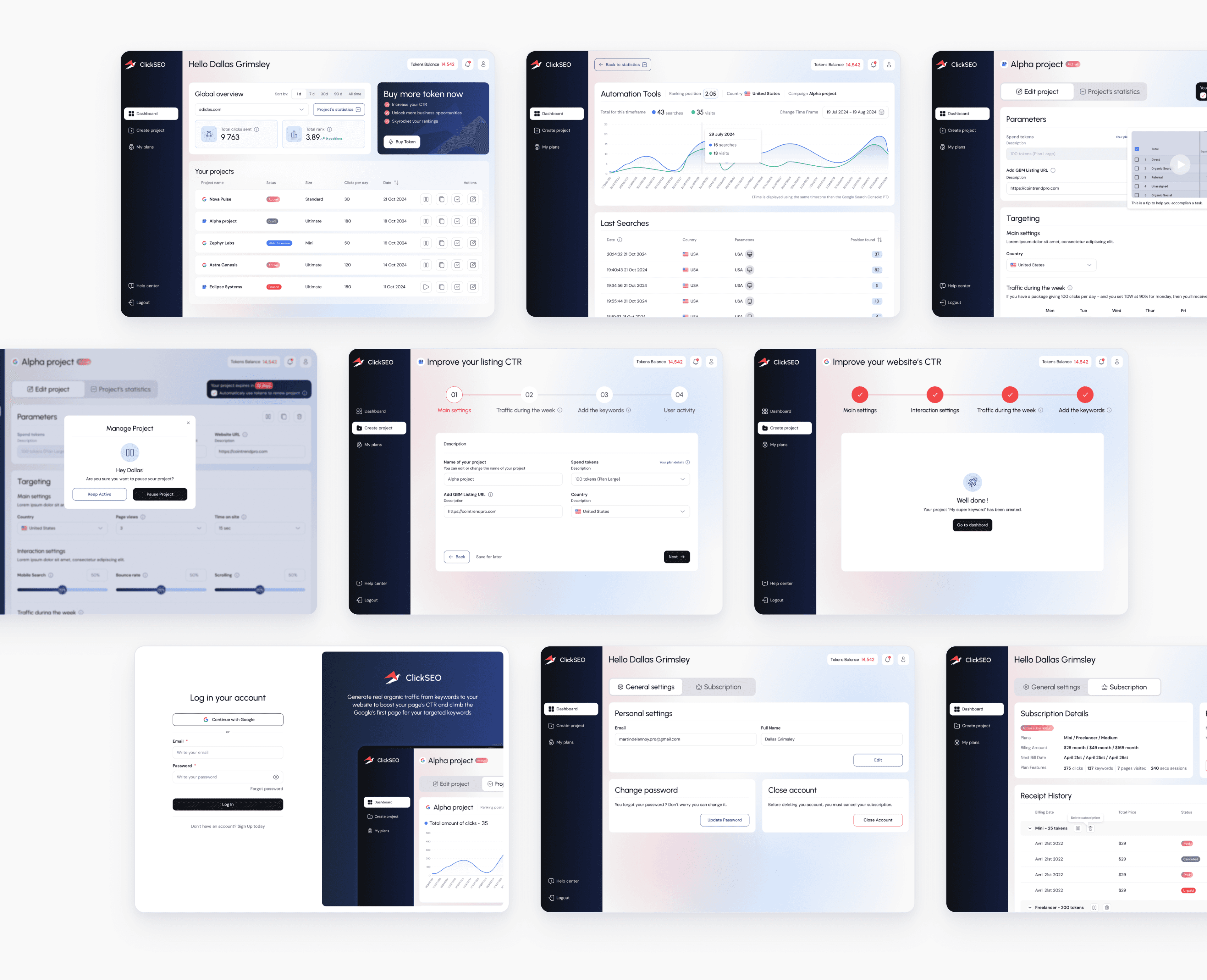
Key product screens
The final UI turns a technical service into a clear, guided product: from choosing a project type and setting up traffic to tracking keywords, plans and subscriptions.
UI & elements
ClickSEO uses a custom UI kit covering buttons, inputs, toggles, status badges, tables, charts, modals and navigation elements.
Product showcase
The project statistics page gives users a clear picture of their campaign in one view. It combines click volume, ranking position, keyword performance and the latest searches, so users can see what's working and adjust their strategy.
Design outcomes
ClickSEO turned a technical traffic service into a clear self-service platform where users launch campaigns and track ranking results on their own.


22
Screens
A complete platform designed from scratch, from sign-up to statistics.

40h
Delivery
From research to development handover in four weeks.

2
Platforms
Website (SERP) and Google Maps (GMB) campaigns in one platform.

100%
AI-Powered
A guided setup with tips, tutorials and drafts to launch a campaign.